Device Details
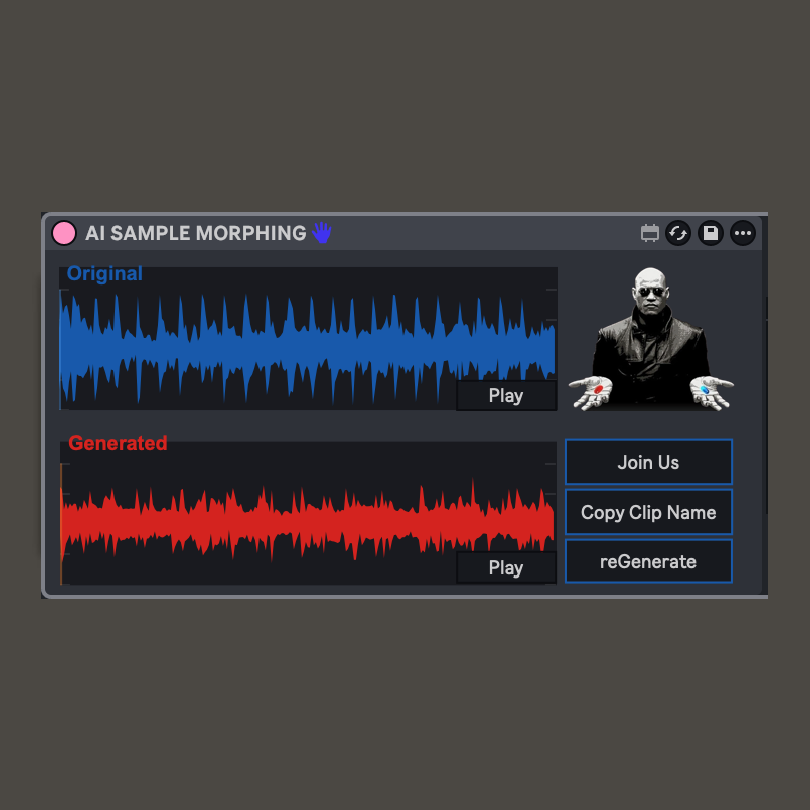
Overview
| Name | Version: | AI SAMPLE MORPHING 1.0 |
| Author: | costantinoterranova |
| Device Type: | Audio Effect |
| Description: | Drag a sample, describe how you wanna change it, click generate. I want to build AI tools that fit in the musician workflow, and that are actually made for artists. If you like it, click join us. In-depth instructions: Tutorial: https://youtu.be/vZr_zW2CwT0 1. Set up your API key in the settings tab 2. Drag a sample in the Transform tab 3. Write a prompt 4. Select model strength (stronger = more different from original) 5. Click generate 6. Wait... 7. Listen 8. Copy clip name 9. Paste it in the Ableton search bar Enjoy! |
Details
| Live Version Used: | 12.0.5 |
| Max Version Used: | 8.6.2 |
| Date Added: | Mar 27 2026 11:32:53 |
| Date Last Updated: | Mar 27 2026 11:37:19 |
| Downloads: | 78 |
| ⓘ License: | None |
Average Rating
Log in to rate this device |
-n/a- |
Files
| Device File: | AI SAMPLE MORPHING.amxd |
Comments
on windows dont work :(
Posted on March 27 2026 by sanpablo |
Report Issue
Pablo does it still charge you on the api page? And does it through any error or is it just stuck on the Generating button?
Posted on March 28 2026 by costantinoterranova |
Report Issue
Login to comment on this device.
Browse the full library
Haven't tested on windows but chat gpt says it should work there too 🙃...